Real Estate Showing Schedule AI for Better Buyer Tours

AI for Real Estate Showing Schedule Optimization: A Practical Guide for Agents and Teams
Introduction: Why Smarter Showing Schedules Matter
If your day dissolves into a blur of texts, calendar conflicts, seller restrictions, and last-minute cancellations, you are not alone. Between buyer availability windows, lockbox access, traffic, and MLS showing instructions, coordination can eat the hours you would rather spend on client strategy, lead follow-up, CMAs, offer writing, and listing prep.
That time cost is real. According to the NAR 2023 Member Profile, the typical REALTOR® works a median of 30 hours per week, so every hour spent chasing confirmations is an hour taken from higher-value work.
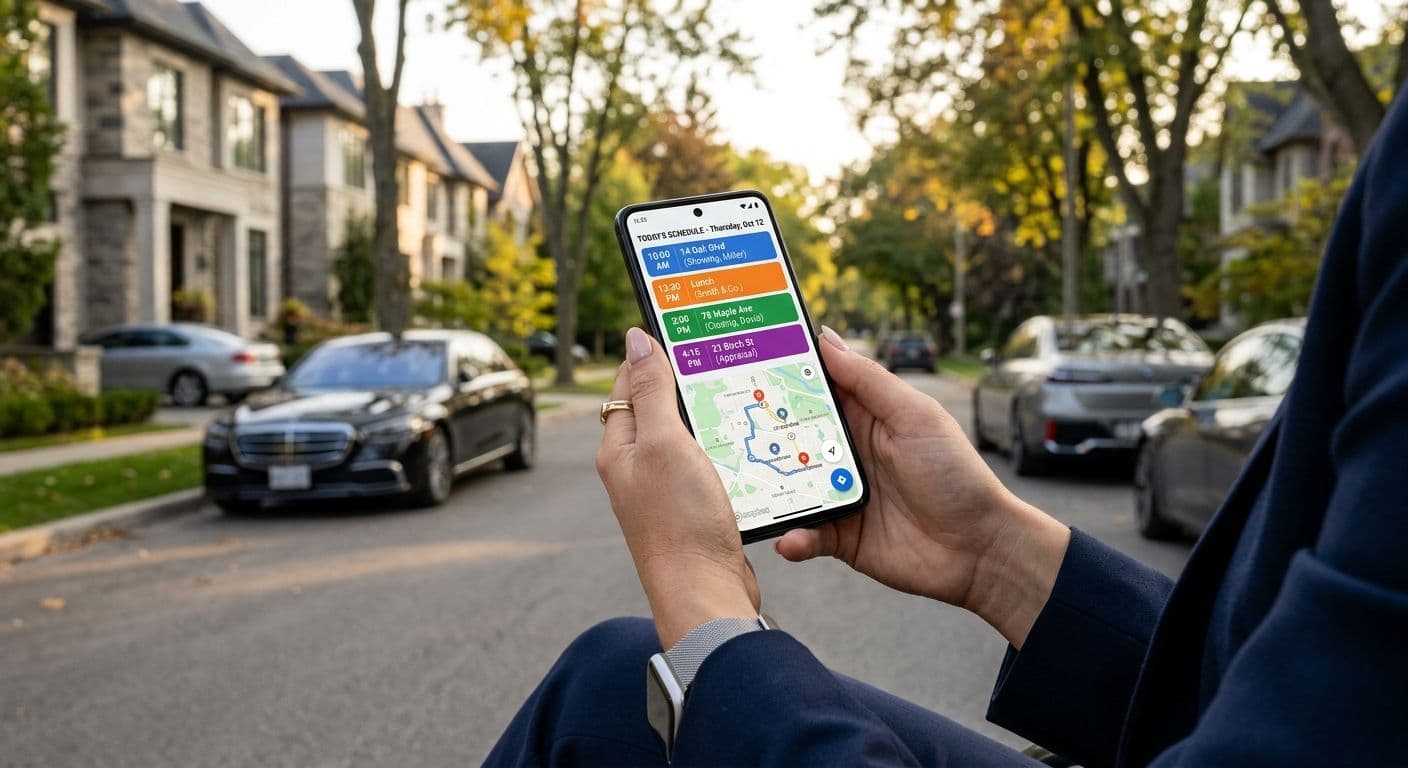
AI for Real Estate Showing Schedule Optimization is less about handing your calendar to a robot and more about using smarter systems to coordinate availability, route tours, send reminders, and keep the agent in control. In this guide, you will learn what showing schedule optimization means, where AI fits into buyer-side and listing-side workflows, how to plan better tours, which risks you must manage, and which metrics reveal whether the process is actually working.
What Showing Schedule Optimization Actually Means
A Practical Definition for Agents
Showing schedule optimization means arranging property tours in a way that balances several moving parts at once: buyer availability, seller-approved showing windows, MLS showing instructions, geography and drive time, listing priority, market urgency, agent availability, and lockbox or access requirements.
AI can assist by identifying conflicts, clustering nearby properties, drafting confirmations, flagging travel-time issues, and reminding clients or sellers. This is not a futuristic idea. Data from the NAR AI in Real Estate research shows that some residential agents already use AI for scheduling and calendar management, which positions this as a practical, emerging workflow.
Common Scheduling Problems AI Can Help Solve
AI-assisted tools are designed to reduce recurring friction points, including:
- Overlapping showing requests
- Homes too far apart for the available tour window
- Seller restrictions such as pets, children, remote work, or advance notice
- Buyer availability limited to evenings or weekends
- Lockbox windows and specific showing instructions
- Short-notice cancellations
- Duplicate work between buyer agents, showing assistants, and coordinators
- Missed feedback requests after showings
What AI Should Not Replace
Agents still own client strategy, agency duties, safety judgment, seller communication, and compliance. AI should not decide which neighborhoods a buyer should or should not consider, and it should never override MLS instructions, listing agreement terms, seller directions, or brokerage policy.
You must verify access codes, showing restrictions, confirmation status, and appointment details yourself. Keep in mind that laws, agency rules, commission practices, MLS policies, and brokerage procedures vary by state and market. This article is not legal, tax, or financial advice.
Where AI Fits in the Showing Workflow
Mapping the process from buyer intake to post-showing follow-up helps you see exactly where automation reduces friction and where human oversight stays essential. Guidance from HUD stresses that AI should support housing workflows, not make independent, opaque decisions that affect access to housing.
Buyer-Side Scheduling
Strong scheduling starts with strong intake. Capture the buyer's price range, financing status, desired areas, commute priorities, school preferences if the buyer volunteers them, property type, must-haves, dealbreakers, decision timeline, and preferred showing days and times.
Buyer expectations reinforce the value of speed. Research from Zillow found that many buyers tour properties they find online themselves and expect fast, convenient next steps.
From there, AI can help by:
- Grouping MLS matches by location and availability
- Flagging listings likely to need immediate attention
- Estimating realistic travel time between appointments
- Drafting text or email confirmations
- Creating calendar holds
- Prioritizing homes based on buyer-stated criteria
Buyer criteria must come from the client and lawful property factors, never from demographic assumptions.
Listing-Side Coordination
Listing agents need accurate showing windows, access notes, seller preferences, and reliable feedback workflows. Many MLSs require complete and current showing information. The Bright MLS rules, for example, require listing agents to keep access and showing details accurate, which means any AI system managing showing windows still depends on verified MLS data.
On the listing side, AI can assist with:
- Organizing approved showing windows
- Sending seller notifications
- Identifying appointment patterns
- Reminding buyer agents to provide feedback
- Flagging unusually high or low showing activity
- Helping prepare seller updates
You must still confirm showing instructions, seller approval requirements, lockbox details, alarm instructions, and any listing agreement limitations.
Team and Brokerage Operations
For teams, AI-assisted scheduling can route requests to available showing agents, prevent double-booking, reduce duplicate coordinator work, track who showed which property, monitor response times, and identify bottlenecks between lead inquiry and scheduled appointment.
Brokerages should set clear policies for who can approve showings, access lockbox information, contact sellers, and communicate with clients.
Practical Ways to Optimize Showing Schedules
Build Better Buyer Preference Data Before Scheduling
AI-assisted scheduling is only as good as the information it receives. Create a structured intake process that captures preferred tour days and time windows, work schedule constraints, commute needs, school or district preferences when buyer-directed, accessibility needs, pets, parking, or mobility considerations, desired property features, must-see homes, dealbreakers, decision urgency, and financing or pre-approval status.
These preferences carry weight. The Zillow 2022 buyer report shows that commute time and school quality matter to many buyers, but these factors must always be handled through client-stated preferences and lawful criteria. Update the buyer's preferences after each tour so your data stays accurate.
Cluster Routes and Prioritize Homes
Plan tours around both geography and urgency. AI can help identify which properties are close enough to tour together, which homes have limited showing windows, which listings need extra travel buffer, which properties are newly listed or likely to move quickly, and which homes align most strongly with buyer priorities.
Touring analysis from Redfin shows buyers often tour several homes in one outing and that market speed shapes tour strategy. A practical sequence looks like this:
- Confirm showing availability first.
- Put the highest-priority or most time-sensitive home early.
- Group nearby homes together.
- Add drive-time buffers.
- Leave room for delays, questions, and parking.
- Keep backup properties ready.
Reduce Cancellations, No-Shows, and Last-Minute Confusion
Automated reminders help, but personalize them when the situation calls for it. A reliable workflow includes:
- Confirm the tour with the buyer the day before.
- Send a same-day reminder with start time, meeting location, and expected duration.
- Reconfirm any listing with strict access rules.
- Notify sellers promptly if a buyer cancels.
- Keep a backup route ready in case a property becomes unavailable.
Reminders should never expose sensitive seller information, access codes, or private showing details unnecessarily. A simple standard operating procedure for cancellations keeps everyone aligned: the buyer cancels, the agent updates the calendar, the listing agent or showing system is notified, the seller is notified if required, a replacement showing is offered where appropriate, and CRM or client notes are updated.
Risks, Compliance, and Client Experience Considerations
Fair Housing and Steering Concerns
Automated systems can create discriminatory effects if they are poorly designed or monitored, a risk highlighted in the HUD guidance on AI in housing. The DOJ explanation of the Fair Housing Act makes clear that steering buyers toward or away from areas based on protected characteristics is unlawful.
To stay on the right side of the line:
- Do not use AI to recommend or exclude neighborhoods based on protected characteristics.
- Do not let demographic proxies influence routing or property filtering.
- Use client-directed, lawful criteria such as price, property type, commute preference, bedrooms, accessibility needs, and showing availability.
- Be careful with phrases like "best neighborhood," "safe area," or "good schools." Provide objective resources and let clients form their own judgments.
Have your broker review any AI tools and workflows that influence housing access.
Data Privacy and Consent
AI scheduling can involve sensitive data, including client calendar access, location data, buyer availability, seller showing windows, access instructions, lockbox details, and occupancy information. Privacy laws such as the CCPA reinforce the importance of disclosure, limited data collection, and appropriate consent.
Sound practices include collecting only necessary information, following brokerage data retention policies, keeping access codes and alarm details out of unsecured tools, confirming whether client consent is needed before connecting calendars or location services, and using brokerage-approved systems when possible.
Accuracy and Human Oversight
State real estate commissions hold licensees responsible for their representations and professional conduct. The Texas Real Estate Commission ethical duties are one example of that accountability, and this obligation is echoed in the NAR Code of Ethics.
AI can misread, omit, or outdatedly summarize information, so verify MLS showing instructions, appointment approval status, seller restrictions, lockbox or access details, alarm notes, occupancy status, required notice periods, any compensation notes relevant under local practice, and contingency-driven timing once a buyer is under contract. AI supports the workflow, but the licensed professional remains accountable.
Metrics to Track and Improve Over Time
Buyer-Side Metrics
High-performing teams track their numbers, and research from NAR supports monitoring response time, showings, and conversion. On the buyer side, track:
- Time from inquiry to first response
- Time from inquiry to scheduled showing
- Number of homes shown per tour
- Average tour duration
- Cancellation rate
- Homes shortlisted after tour
- Tour-to-offer rate
- Buyer satisfaction or post-tour feedback
Interpret the results with care. Faster scheduling helps only if buyers see better-fit homes. More showings are not always better if the route is unfocused. A stronger tour-to-offer rate often signals better preference intake and prioritization.
Listing-Side Metrics
On the listing side, track showing requests per listing, approved versus declined requests, average approval time, cancellation rate, feedback completion rate, repeat showings, offer activity after showings, and days with no showing activity.
Use this data to identify restrictive showing windows, advise sellers on access improvements, compare showing volume with pricing feedback, and spot mismatches between online interest and in-person activity. Metrics should inform seller conversations, but they should never replace a full pricing, condition, and market analysis.
Conclusion: Start With One Workflow Improvement
Used thoughtfully, AI-assisted showing schedule optimization can help you reduce back-and-forth, build better buyer tours, protect seller preferences, improve response time, cut cancellations, and track workflow performance. Human oversight remains essential for client strategy, compliance, fair housing, privacy, and MLS accuracy.
You do not need to overhaul everything at once. Start with one workflow, whether that is automated confirmation reminders, better buyer preference intake, route clustering, feedback reminders, or team request routing. Measure results for 30 days, refine the process, then expand carefully.
Choose one showing workflow to improve this week, document your current baseline, and test a more structured scheduling process before scaling it across your team or brokerage.
Sources
- NAR 2023 Member Profile
- NAR Artificial Intelligence in Real Estate
- NAR Code of Ethics
- HUD Guidance on Application of the Fair Housing Act to Automated Systems
- DOJ Fair Housing Act Overview
- Bright MLS Rules and Regulations
- California Consumer Privacy Act
- Texas Real Estate Commission Ethical Duties
- NAR Real Estate Teams
- Zillow Consumer Housing Trends Report 2022
- Zillow 2022 Buyer Report
- Redfin Home Tour Trends
Frequently asked questions
Limit scope to one step, such as confirmation texts or route clustering. Set clear before-and-after targets and keep manual approval for all appointments during the trial. Review outcomes with the team, refine the checklist, and then expand to the next step.
Collect practical constraints—preferred days and times, travel limits, property features, accessibility, parking, and pet considerations—rather than demographic details. Obtain permission before connecting calendars or location services and follow your brokerage’s data policies; requirements can vary by state or market. Keep access codes, alarm details, and occupancy notes out of general-purpose tools.
Reserve the hardest-to-book slot first, then build the rest of the tour around it. Put time-sensitive homes first, cluster nearby stops, and add drive buffers for traffic and parking. Keep at least one pre-qualified backup and reconfirm any listing with special access rules on the morning of the tour.
Look for real-time travel estimates, calendar sync with granular permissions, MLS-linked availability, message templates, and audit trails. Team features like assignment routing, load balancing, and coverage rules help avoid double-booking and delays. Require encryption, data retention controls, and a way to export your metrics; avoid tools that store lockbox codes or alarm details in plain text.
Use only client-directed, lawful criteria—budget, property type, commute time, accessibility, and showing windows—when filtering or routing. Exclude protected-class signals and demographic proxies, and avoid subjective neighborhood or school characterizations; share objective resources instead. Have a broker review automated workflows that could affect housing access, and remember practices and rules can differ by state and MLS.
Alert the buyer immediately with a revised meet-up plan, then notify the listing side per local norms. Swap in a pre-approved alternate, reroute with updated travel times, and reconfirm any new access instructions. Update your calendar, seller notifications if required, and CRM notes so feedback and next steps stay accurate.
Track response time, time-to-scheduled-tour, cancellation/no-show rate, homes shortlisted per tour, tour-to-offer rate, and feedback completion. Compare against your baseline and break results down by area, price range, day of week, and agent to spot patterns. Prioritize steady gains across multiple indicators over one-off spikes.
Grant the minimum permissions necessary and use a brokerage-managed account. Verify data storage location, access controls, and retention practices, and get client consent before syncing their calendars or location. Never store lockbox or alarm codes in unsecured apps; use brokerage-approved systems for sensitive access details.